
NEW YORK, N.Y., Nov. 23, 2026 (SEND2PRESS NEWSWIRE) — Tenorshare highlighted 4uKey for Android, an Android unlocking tool that helps users bypass Google FRP locks on supported devices. For users facing Google account verification after a factory reset, forgetting their account credentials or purchasing a second-hand phone, the software offers a guided approach to addressing FRP lock issues.
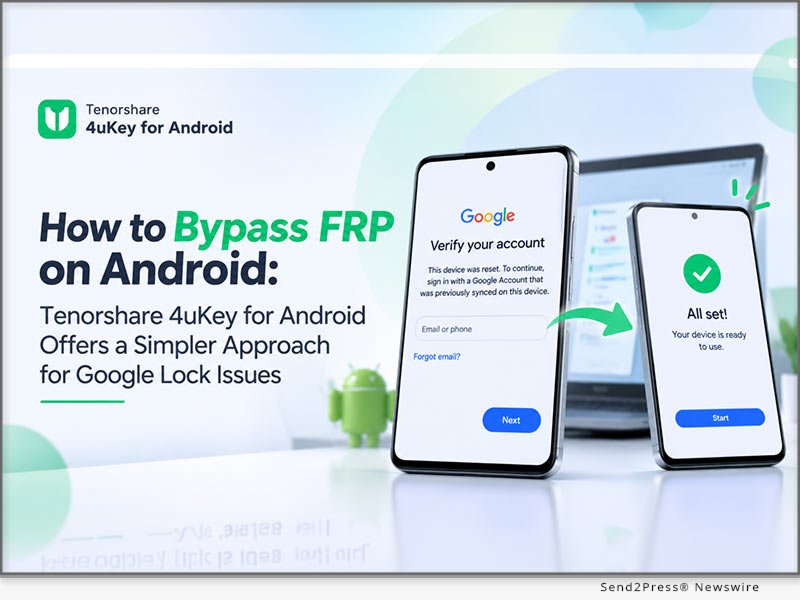
Image caption: Tenorshare Android FRP Bypass Guide.
When an Android device is reset without first removing the previously linked Google account, Factory Reset Protection (FRP) may require the original account credentials before the device can be set up again. This can be frustrating for legitimate device owners who cannot complete Google verification. Instead of searching for different manual methods, users can consider a dedicated FRP bypass tool such as Tenorshare 4uKey for Android, provided their device is supported.
HOW TO BYPASS FRP ON ANDROID WITH TENORSHARE 4UKEY
For users wondering how to bypass Google verification on an Android phone, Tenorshare 4uKey for Android provides a computer-based process with on-screen instructions. The general process is as follows:
Step 1: Download and install Tenorshare 4uKey for Android on a Windows or Mac computer. Launch the program and connect the Google-locked Android device using a USB cable.
Step 2: Select the “Remove Google Lock (FRP)” feature, then choose the corresponding device brand and Android version when prompted.
Step 3: Follow the on-screen instructions to complete the FRP removal process. Once the supported process is finished, restart the device and continue with setup.
The available steps may vary depending on the device brand, model and Android version. For detailed instructions, visit the Tenorshare 4uKey for Android user guide.
FRP BYPASS APK VS. COMPUTER-BASED FRP BYPASS TOOLS: WHICH SHOULD YOU CHOOSE?
When searching for how to bypass FRP, users may come across two common options: FRP bypass APK files and computer-based FRP bypass tools. Each approach has its own requirements.
FRP Bypass APK: An FRP bypass APK is an Android application package that users may find through online tutorials or third-party websites. This approach may seem convenient because it does not always require a computer. However, the process can involve manual steps, and compatibility may vary across Android versions and device models. Users should also be careful when downloading APK files from unverified sources.
Computer-Based FRP Bypass Tools: Computer-based tools offer another approach by guiding users through the process on a Windows or Mac computer. Rather than relying entirely on APK downloads and manual instructions, users can connect their devices and follow the software’s prompts. Supported brands, Android versions and device models should be checked before choosing a tool.
For users comparing FRP bypass tools or searching for FRPbypass methods, Tenorshare 4uKey for Android offers a computer-based option for addressing Google FRP locks on supported Android devices.
WHY SHOULD YOU CHOOSE TENORSHARE 4UKEY FOR ANDROID?
Tenorshare 4uKey for Android combines FRP removal and Android screen unlocking features in one desktop program. Its key features include:
- Google FRP Lock Removal: Helps remove Google FRP locks on supported Samsung, Xiaomi, Redmi, OPPO, Realme, OnePlus, Huawei, Vivo and Motorola devices.
- Android Screen Lock Removal: Supports removing screen locks such as PINs, passwords, patterns and fingerprints on compatible Android devices.
- Windows and Mac Compatibility: Provides desktop versions for Windows and Mac users.
- Guided Unlocking Process: Offers on-screen instructions to help users complete the available unlocking process.
Users searching for ways to bypass Android FRP easily or wondering how to turn off Android FRP should check their device compatibility before proceeding. Supported features and Android versions vary by brand and model. For the latest details, visit the 4uKey for Android technical specifications.
PRICE AND AVAILABILITY
Tenorshare 4uKey for Android is available for Windows and Mac computers. During Tenorshare’s Black Friday promotion, selected products are offered at up to 25% off through December 1, 2026. The 4uKey for Android monthly plan is available for $18.71, reduced from $24.95. For more information, visit https://www.tenorshare.com/sales-promotion.html.
ABOUT TENORSHARE
Founded in 2007, Tenorshare is a software company dedicated to developing solutions for mobile devices and computers. Its products cover data recovery, system repair, device unlocking, data management and other digital tools designed to help users solve everyday technology challenges.
For more details, please visit:
Website: https://www.tenorshare.com/
Facebook: https://www.facebook.com/TenorshareOfficial/
X/Twitter: https://x.com/Tenorshare_TS
YouTube: https://www.youtube.com/user/TenorshareOfficial/videos
WEB IMAGE: https://www.send2press.com/wire/images/26-1123-s2p-tenorshare-800×600.jpg
Image caption: Tenorshare Android FRP Bypass Guide.
News Source: Tenorshare Co. Ltd.